You use it every day. You might use it to check your email, watch movies, or chat with your coworkers. But you probably don’t think about the technology behind it.
SaaS stands for Software as a Service.
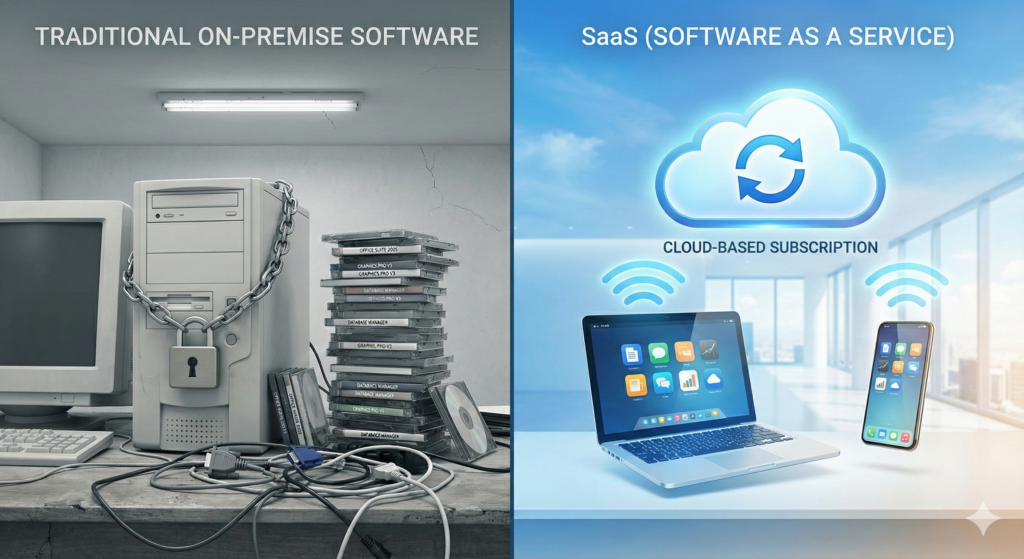
It is not a complicated concept. In the past, you bought software on a CD or floppy disk. You paid for it once, installed it on your computer, and that was it. If you wanted the new version, you bought it again.
SaaS changed that. Instead of buying the software, you rent it. The software lives on the internet (the cloud), not on your hard drive. You pay a monthly or yearly fee to access it.
Think of it like housing. Traditional software is like buying a house. You own the bricks, but you also have to fix the roof when it leaks. SaaS is like renting an apartment. You pay rent, and the landlord handles the maintenance, security, and upgrades.
This guide covers everything you need to know about SaaS. We will look at how it works, why it took over the tech world, and whether it makes sense for your business.
How SaaS Actually Works
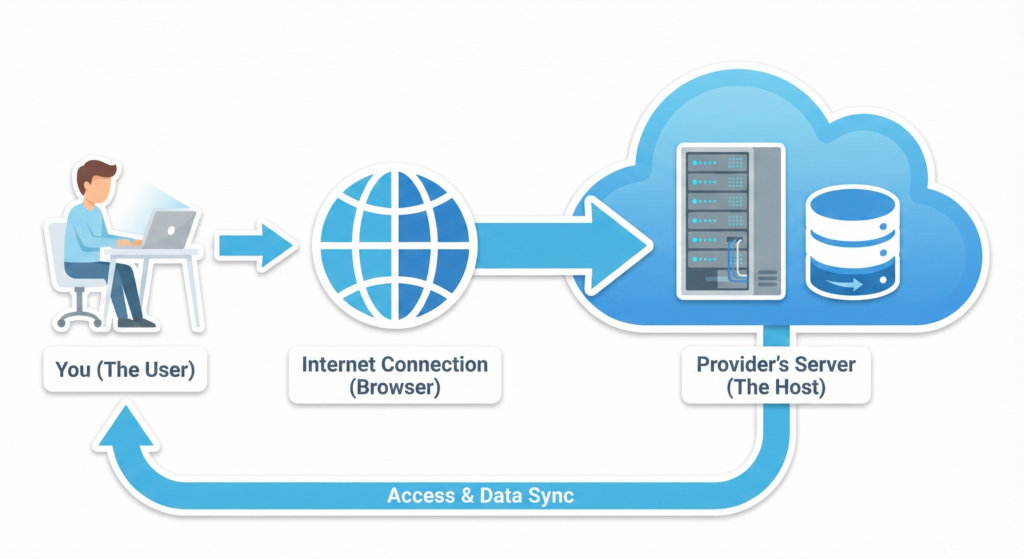
When you use a SaaS application, you are not running the program on your own computer. You are using a web browser (like Chrome or Safari) to access the software.
Here is the technical breakdown, simplified:
- The Host: A software provider (like Google or Salesforce) hosts the application on their own massive servers.
- The Connection: You connect to their servers via the internet.
- The Access: You log in with a username and password.
- The Service: You do your work, save your data, and log out. All your data stays on their servers, safe and backed up.
You don’t need to install anything. You don’t need to worry about whether your computer is fast enough to run the program. If you have an internet connection, you are good to go.
The “Cloud” Connection
People often use “SaaS” and “Cloud Computing” interchangeably. They are related, but not the same.
Cloud Computing is the big umbrella. It includes everything from storage (like Dropbox) to raw computing power (like Amazon Web Services). SaaS is a specific part of that umbrella. It is the finished product you actually use.
If Cloud Computing is a massive power plant, SaaS is the lamp in your living room. You don’t care how the electricity gets there; you just want light when you flip the switch.
Why Everyone Switched to SaaS (Key Features)
Businesses in the USA love SaaS. It solves massive headaches that used to plague IT departments.
1. You Can Work from Anywhere
This is the biggest selling point. With old-school software, your data was stuck on one computer. If you left that computer at the office, you couldn’t work from home.
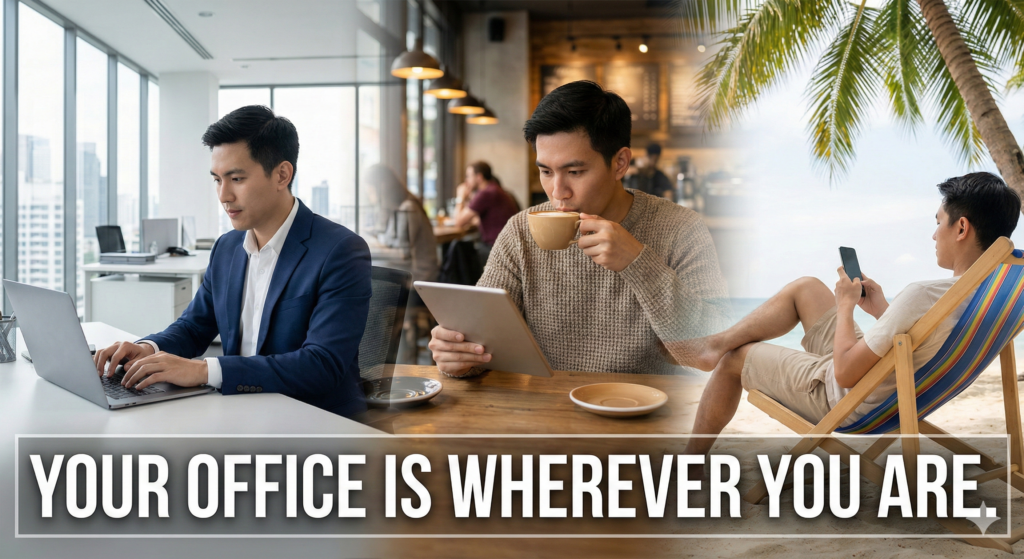
With SaaS, your office is wherever you are. You can log into your CRM (Customer Relationship Management) tool from a laptop in New York, a tablet in Texas, or a phone in a coffee shop. Your data is always there, synced in real-time.
2. Automatic Updates
Remember the pain of updating Windows 95? You had to insert a disk, wait an hour, and hope nothing crashed.
SaaS providers handle updates on their end. You wake up, log in, and the new features are just there. You don’t have to lift a finger. This also means you are always secure. The provider patches security holes immediately, protecting your data from hackers.
3. Lower Upfront Costs
Buying a professional software license used to cost thousands of dollars upfront. That is a huge risk for a small business.
SaaS operates on a subscription model (OpEx vs. CapEx). You pay a small amount each month. If the software doesn’t work for you, you cancel the subscription. You are not stuck with a $5,000 box of useless CDs.
4. Scalability
Imagine your business grows overnight. You hire 50 new employees. In the old days, you had to buy 50 new computers and install software on every single one.
With SaaS, you just add 50 new users to your account. It takes five minutes. If business slows down, you remove those users. You pay only for what you use.
Common SaaS Examples You Already Know
You likely use these tools daily without realizing they are SaaS.
B2C (Business to Consumer)
- Netflix: You stream movies. You don’t own them.
- Spotify: You stream music. You pay a monthly fee for access.
- Google Docs: You write documents in a browser. No installation needed.
- Dropbox: You store files in the cloud.
B2B (Business to Business)
- Salesforce: The giant of sales management.
- Slack: The tool that replaced office email for many.
- Zoom: Video conferencing that lives in the cloud.
- Shopify: Lets you build an online store without knowing code.
- Mailchimp: Sending email newsletters to thousands of customers.
The Price of SaaS: How Much Does It Cost?
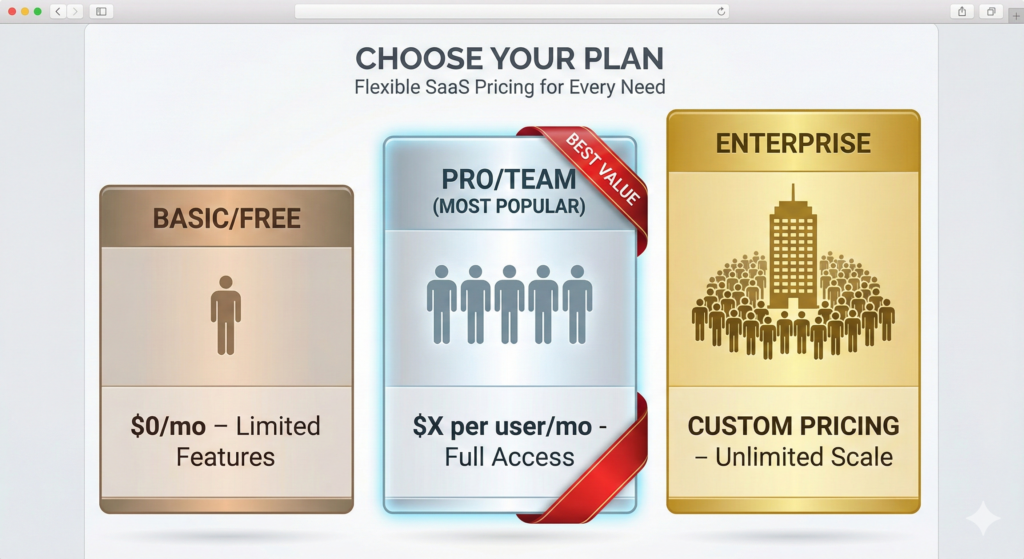
Pricing is tricky. It varies wildly depending on the complexity of the tool. However, most SaaS companies stick to a few standard pricing models.
1. The “Freemium” Model
This is very common. You get a basic version of the software for free. If you want the advanced features, you pay.
- Example: Dropbox gives you 2GB of space for free. If you want 2TB, you pay $11.99/month.
- Why it works: It lets you test the product with zero risk.
2. Flat Rate Pricing
You pay a single monthly fee for all features. This is rare for complex business tools but common for consumer tools.
- Example: Netflix charges a set fee regardless of how many movies you watch (mostly).
3. Per-User Pricing (The Standard)
This is how most business software charges. You pay a fixed amount for every person on your team who uses the tool.
- Example: Slack charges roughly $7.25 per person/month for their standard plan.
- The Catch: As your team grows, your bill grows. A $10 tool sounds cheap until you have 100 employees. Then it is $1,000 a month.
4. Tiered Pricing
Different levels give you different features.
- Basic ($29/mo): Good for 1 user, limited support.
- Pro ($79/mo): 5 users, phone support, advanced reporting.
- Enterprise (Custom): Unlimited users, dedicated account manager.
5. Usage-Based Pricing
You pay for what you use. This is common for email marketing or data storage tools.
- Example: An email tool might charge you $20/month to send 5,000 emails. If you send 10,000, the price jumps to $40/month.
Is SaaS Safe? (Security Concerns)
Trust is the currency of the internet. When you use SaaS, you are handing your private data to another company. Is that smart?
Generally, yes.
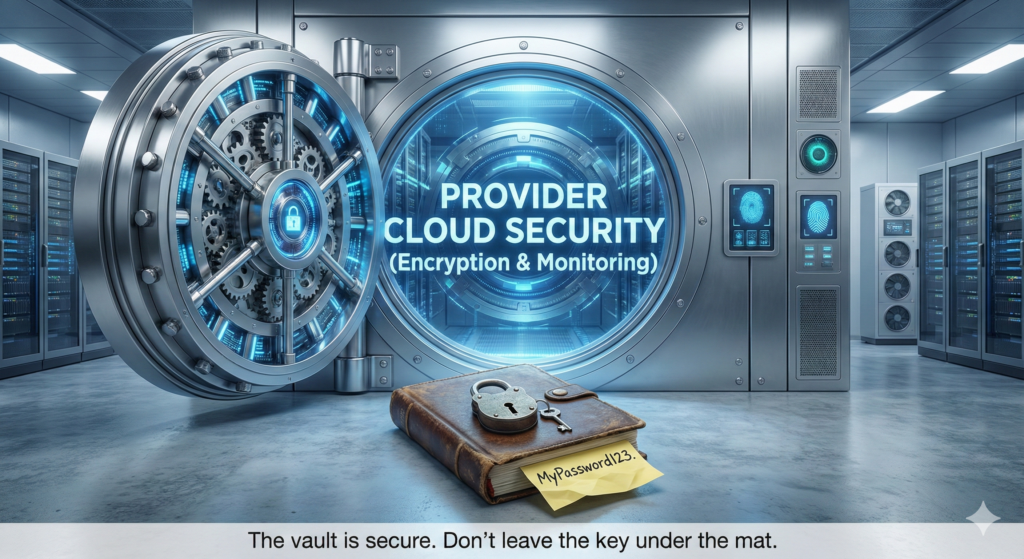
SaaS providers like Microsoft, Google, or Salesforce spend billions on security. They have armies of security experts whose only job is to protect that data. Their servers are in bunkers with armed guards and biometric scanners.
Compare that to your local office server. Is it in a locked room? Do you have a full-time security guard? Probably not.
However, you still play a role. Most SaaS breaches happen because a user set a weak password (like “password123”). The vault is strong, but if you leave the key under the mat, people will get in.
Things to check before buying:
- Data Ownership: Do you own your data? Can you export it if you leave?
- Uptime Guarantees: Do they promise the service will be online 99.9% of the time?
- Compliance: If you are in healthcare, is the tool HIPAA compliant?
Vertical vs. Horizontal SaaS
We classify SaaS into two main buckets based on who they serve.
Horizontal SaaS
These tools serve everyone, regardless of industry.
- Example: QuickBooks. A bakery needs accounting. A car mechanic needs accounting. A lawyer needs accounting. They all use QuickBooks.
- Pros: Huge market, lots of support.
- Cons: Might lack specific features your unique industry needs.
Vertical SaaS
These tools serve a specific niche or industry.
- Example: Toast (Point of Sale specifically for restaurants). It handles menu modifications, kitchen timing, and table tips. QuickBooks can’t do that.
- Pros: Tailored exactly to your workflow.
- Cons: Often more expensive because the market is smaller.
The Downsides of SaaS (Honest Talk)
SaaS is great, but it is not perfect. Here are the frustrations you might face.
1. Internet Dependency No internet? No work. While some apps have an “offline mode,” most SaaS tools become useless bricks without a connection. If your office internet cuts out, your team stops working.
2. Loss of Control You are at the mercy of the provider. If they change the interface and you hate it, too bad. If they raise the price, you have to pay it or go through the hassle of moving your data.
3. “Vendor Lock-in” Moving data from one SaaS tool to another is difficult. Providers make it easy to import data but hard to export it. They want you to stay. This is called “lock-in.”
4. Ghost Subscriptions It is easy to sign up for a $20 tool and forget about it. Companies often bleed money on subscriptions nobody uses anymore. You need to audit your credit card statement regularly.
Future Trends: Where is SaaS Going?
The industry moves fast. Here is what to watch for in the next few years.
AI Integration This is happening now. SaaS tools are adding artificial intelligence to automate boring work.
- A writing tool that fixes your grammar automatically.
- A CRM that predicts which customer is about to quit so you can save them.
- Customer support chatbots that actually answer questions.
Mobile-First Design People work from phones. SaaS tools used to be clunky on mobile. Now, providers build the mobile app first. If a tool doesn’t have a great mobile app, buyers skip it.
Micro-SaaS Instead of one giant tool that does everything (like Microsoft Office), we see tiny tools that do one thing perfectly.
- A tool just for removing backgrounds from images.
- A tool just for scheduling Twitter posts. These are cheap, fast, and solve specific problems.
Summary Checklist: Is SaaS Right for You?
Before you pull out your credit card, ask these questions.
- Does it integrate? Will this new tool talk to the tools I already use? (e.g., Does the email tool talk to your CRM?)
- Is the support good? Send them a test email. See how fast they reply.
- What is the exit plan? If you cancel, how do you get your data back?
- Is it scalable? If your business doubles next year, will this tool handle it?
SaaS is the standard for a reason. It is flexible, affordable, and powerful. But like any tool, it only works if you pick the right one.
Frequently Asked Questions (FAQs)
Q: What is the main difference between SaaS and PaaS/IaaS?
A: SaaS (Software as a Service) is for users. It is the finished house. PaaS (Platform as a Service) is for developers. It is the tools and land to build the house. IaaS (Infrastructure as a Service) is for IT admins. It is raw lumber and concrete (servers and storage).
Q: Is my data safe in the cloud?
A: Yes, typically safer than on your personal laptop. Cloud providers encrypt your data and back it up across multiple locations. If your laptop breaks, you lose nothing.
Q: Can I customize SaaS software?
A: To a limit. You can change settings, dashboards, and workflows. However, you cannot rewrite the core code like you could with custom-built software.
Q: What happens if the internet goes down?
A: You lose access to the software. Some tools like Google Docs have offline modes that sync when you reconnect, but generally, you need a connection to work.
Q: Is SaaS cheaper than traditional software?
A: Short term? Yes. Long term? Maybe not. Paying $10/month for 5 years ($600) might cost more than buying a $400 software license once. But SaaS gives you updates and support, which traditional licenses often charge extra for.
Q: Can I cancel SaaS anytime?
A: Usually, yes. Most SaaS operates month-to-month. Some offer discounts if you pay for a full year upfront, but you don’t have to.
Q: Do I need an IT team to manage SaaS?
A: Not usually. That is the beauty of it. The provider handles the technical stuff. You just manage your users and your billing.