

Tired of Ahrefs’ monthly fees? I reviewed the SiteGuru AppSumo lifetime deal. See how this “to-do list” SEO tool fixes your rankings for a one-time price.
SEO tools are often too hard to use. They give you too much data. You see charts, graphs, and numbers. But you do not know what to fix first. You pay $100 every month for tools you barely use.
SiteGuru changes this. It does not just show you data. It gives you a simple to-do list. It tells you exactly what to fix to rank higher.
Right now, you can get SiteGuru for a one-time price on AppSumo. You pay once and own it forever. I tested this tool to see if it replaces expensive subscriptions. Here is my full review.
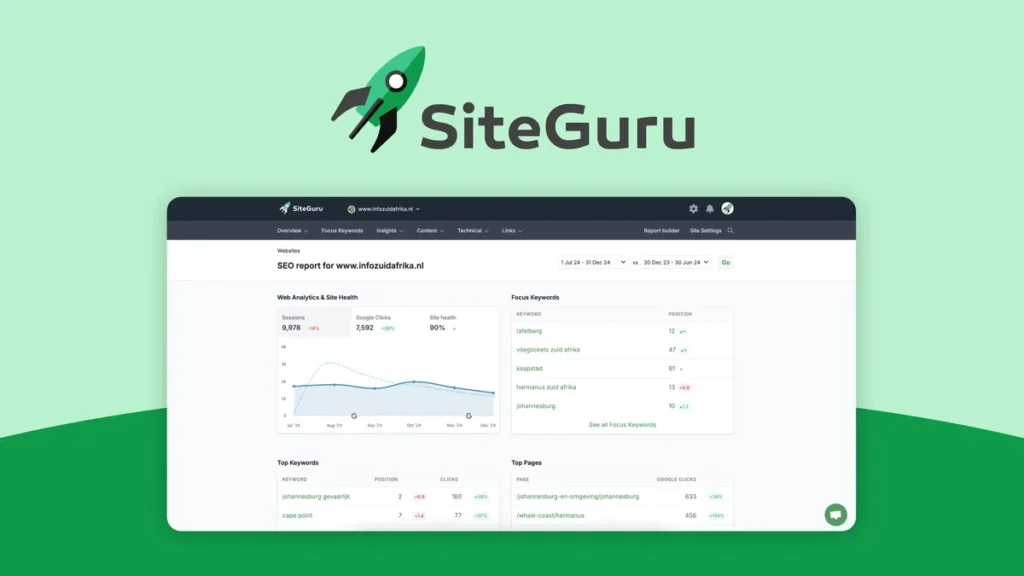
What is SiteGuru?
SiteGuru is an SEO audit tool. It acts like a personal SEO consultant. Most tools dump data on you. SiteGuru crawls your website and finds problems. Then, it tells you how to fix them in plain English.
It focuses on actionable tasks. It looks for broken links, missing meta descriptions, and slow pages. It also connects to your Google Search Console. This helps you find keywords that are close to ranking high.
Who is it for?
- Solopreneurs: You do not have time to learn complex SEO.
- Agencies: You need to send simple reports to clients.
- Content Creators: You want to fix old blog posts quickly.
SiteGuru Lifetime Deal: Pricing & Plans
The AppSumo deal is simple. You buy a code, and you get lifetime access. You do not pay monthly fees.
| Feature | Single Code ($79) | Double Code ($158) | Multiple Codes |
| Price | $79 (One Time) | $158 (One Time) | +$79 per code |
| Websites | 1 Site | 2 Sites | Adds 1 site per code |
| Page Limit | 500 Pages | 1,000 Pages | +500 Pages per code |
| Users | Unlimited | Unlimited | Unlimited |
| Reports | White Label Included | White Label Included | White Label Included |
| Updates | Lifetime Updates | Lifetime Updates | Lifetime Updates |
Is the price worth it?
A normal SEO tool costs $50 to $100 per month. If you use SiteGuru for just two months, it pays for itself. The value is huge if you plan to keep your website for a long time.
Note: Most users start with one code. You can stack more codes later if you launch more websites.
Key Features: Why SiteGuru is Different
I used SiteGuru on my own blog. Here are the features that stood out the most.
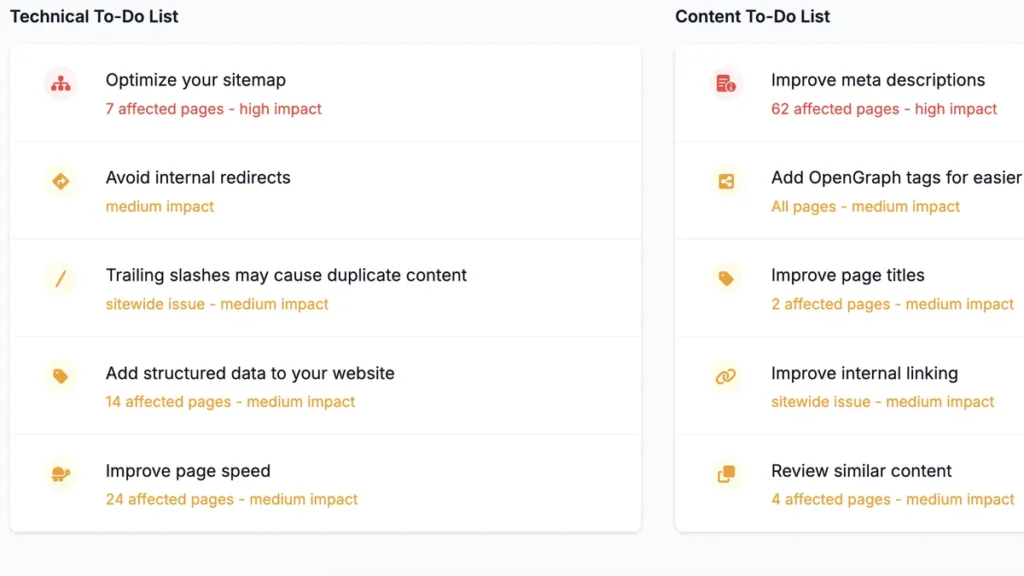
1. The SEO To-Do List
This is the best feature. When you log in, you do not see complex graphs. You see a list of tasks.
- Example: “Add Alt Text to this image.”
- Example: “Shorten this page title.”
- Example: “Fix this broken link.”
You clear the list, and your SEO score goes up. It feels like a game. It makes SEO less boring.
2. “Low Hanging Fruit” Report
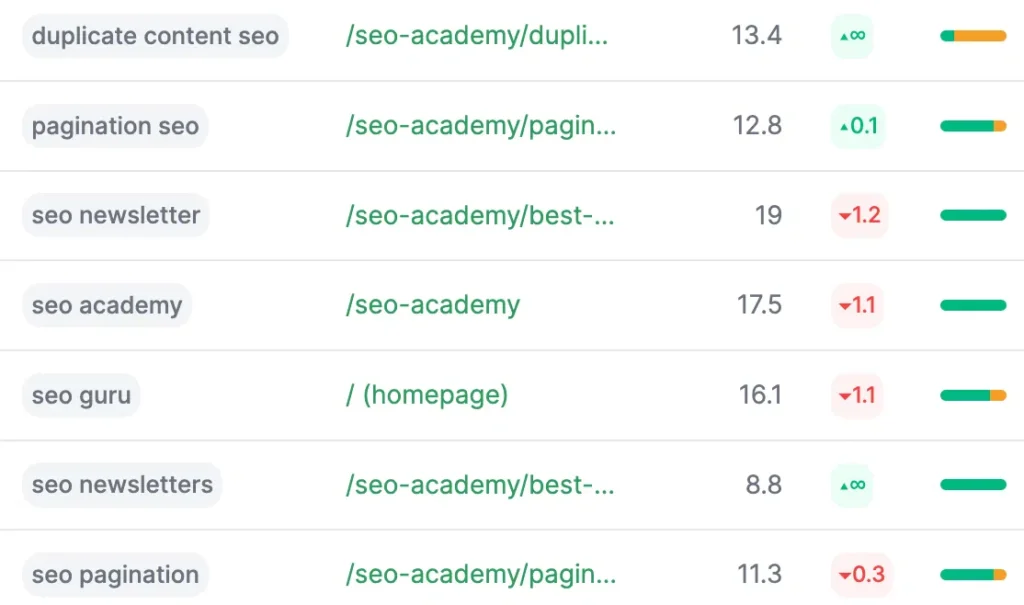
This feature helps you get more traffic fast. It connects to Google Search Console. It finds keywords where you rank on Page 2 (positions 11-20).
- The logic: You are almost on Page 1. You just need a small push.
- The action: SiteGuru tells you which pages to update. You add a few sentences or keywords. Then, you often jump to Page 1.
3. AI Content Suggestions
You do not have to write meta descriptions yourself. SiteGuru uses AI to write them for you. It scans your page content. Then, it suggests a title and description that fits. You just click “Copy” and paste it into WordPress.
4. The AI Visibility Report
Search is changing. People use ChatGPT and Perplexity to find answers. SiteGuru now tracks this. It shows if your site appears in AI answers. This is a new feature that most other tools lack.
5. White Label Reports for Agencies
If you run an agency, you will love this. You can put your own logo on the reports. You can send a weekly email to your clients automatically. The email comes from your brand. It shows the client what you fixed. This saves you hours of reporting time.
SiteGuru vs. Ahrefs: A Quick Comparison
Many people ask if SiteGuru replaces Ahrefs. The answer depends on your needs.
| Feature | SiteGuru | Ahrefs / Semrush |
| Cost | One-time payment ($69+) | $99+ per month |
| Focus | On-Page & Technical SEO | Backlinks & Competitors |
| Ease of Use | Very Simple (Beginner) | Complex (Expert) |
| Backlink Data | Basic | Very Detailed |
| To-Do List | Yes (Core Feature) | No (Data heavy) |
| Best For | Maintenance & Fixes | Deep Research |
My Verdict:
- Use Ahrefs if you need deep competitor research or heavy backlink analysis.
- Use SiteGuru if you want to maintain your site health and fix on-page errors.
- Pro Tip: You can use both. Buy SiteGuru for daily maintenance. Buy Ahrefs for one month once a year for deep research.
Pros and Cons
I want to be honest. No tool is perfect. Here is what I liked and what I did not like.
Pros (What I Liked)
- Simple Interface: You do not need a manual to use it.
- Actionable: It tells you what to do, not just what is wrong.
- Weekly Emails: You get a summary in your inbox. You stay updated without logging in.
- Cost: The lifetime deal is a steal compared to monthly fees.
- Unlimited Users: You can invite your whole team or clients for free.
Cons (What Could Be Better)
- Page Limits: The starter plan allows 500 pages. This is small for huge e-commerce sites. You need to stack codes for more pages.
- Basic Backlinks: It shows you backlinks, but it is not as powerful as Ahrefs.
- Keyword Research: It is good for tracking, but basic for finding new keywords.
Who Should Buy This Deal?
1. Bloggers and Affiliate Marketers
You have many old posts. SiteGuru monitors them. It alerts you if a link breaks or rankings drop. It helps you keep your passive income safe.
2. SEO Agencies and Freelancers
The white-label reporting is valuable. You can charge a client $300 for an audit. SiteGuru generates that audit in two minutes. The tool pays for itself with one client.
3. Small Business Owners
You run a business, not an SEO agency. You need a tool that speaks plain English. SiteGuru fits this perfectly. It does not confuse you with jargon.
How to Use SiteGuru for Maximum Results
Here is a simple workflow I use with SiteGuru.
- Run the Initial Audit: Let the tool crawl your site. It takes about 10 minutes.
- Connect Search Console: Link your Google account. This pulls in real keyword data.
- Check the “Home” Dashboard: Look at your Health Score. Aim to get it above 80%.
- Clear the “Critical” Errors: Fix broken links and missing titles first. These hurt you the most.
- Check “Insights”: Look for the “Declining Content” report. These are pages losing traffic. Update them to save your rankings.
- Wait for the Weekly Email: SiteGuru will email you if anything breaks.
FAQs regarding SiteGuru Lifetime Deal
Does SiteGuru replace Yoast or RankMath?
No. Yoast and RankMath are plugins inside your WordPress. SiteGuru scans your site from the outside, like Google does. They work together. You use Yoast to edit the page, and SiteGuru to check if you did it right.
Can I upgrade my plan later?
AppSumo deals often close. If you buy one code now, you might not be able to buy more later. If you think your site will grow, it is safer to buy a second code now. AppSumo has a 60-day refund window. You can return the extra code if you do not use it.
Is there a money-back guarantee?
Yes. AppSumo offers a 60-day money-back guarantee. You can try the tool for two months. If you do not like it, you get a full refund. There is no risk.
Does it work on Shopify or Wix?
Yes. SiteGuru works on any website. It does not matter if you use WordPress, Shopify, Squarespace, or custom code. It scans the public URL.
How often does it crawl my site?
SiteGuru crawls your site automatically every week. You can also start a manual crawl anytime if you make big changes.
Final Verdict
SEO is necessary, but it is often boring and expensive. SiteGuru solves both problems. It makes SEO simple by giving you a clear to-do list. It makes SEO affordable with a lifetime deal.
You stop guessing what to fix. You stop paying monthly fees. You just follow the instructions and watch your rankings go up.
If you want a “set it and forget it” tool for your website health, this is a must-buy. The AppSumo deal will not last forever. Grab it while you can.