

Stop paying monthly for scheduling. I reviewed TidyCal’s $29 lifetime deal. See how this AppSumo tool compares to Calendly and why you should switch today.
You pay for everything these days. Netflix takes a cut. Spotify takes a cut. Your website hosting takes a cut. Then you look at your credit card bill and see another charge for your scheduling software.
TidyCal Reviews Appsumo
Maybe you pay $15 a month for Calendly. Maybe you pay $20 for Acuity. It looks like a small amount. But small amounts add up. Over five years, that $15 a month becomes $900.
That is $900 just to let people book a time to talk to you.
Most freelancers and small business owners hate this. You feel trapped. You need the tool, but you hate the “rent.”
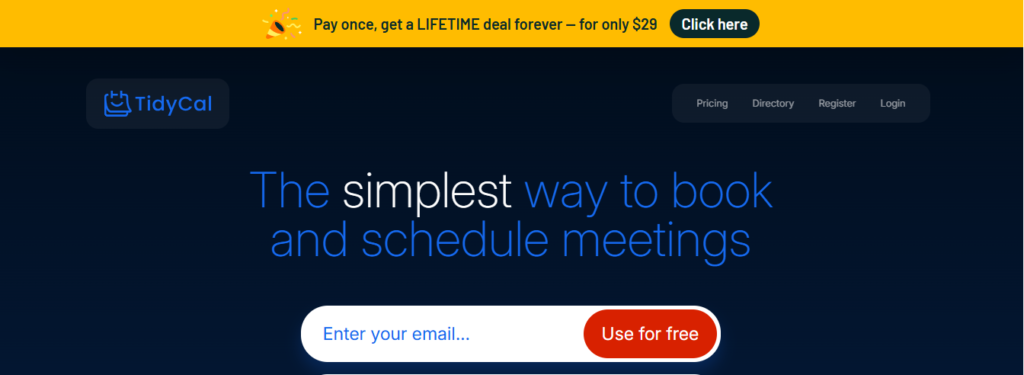
TidyCal offers a way out. It is a simple, powerful scheduling tool. It does almost everything the big guys do. But it has one massive difference.
You pay for it once. You own it forever.
This review looks at TidyCal from top to bottom. I bought the Lifetime Deal on AppSumo. I set it up for my own business. I tested the integrations. I sent booking links to real clients.
Here is the truth about the “Calendly Killer.”
What is TidyCal?
TidyCal Reviews is a cloud-based booking app. It connects to your personal calendar. It lets clients choose a time to meet with you. It sends confirmation emails automatically.
The AppSumo team built this tool themselves. They call it an “AppSumo Original.”
This matters for one big reason. AppSumo is a huge company. They sell software to millions of entrepreneurs. They noticed a problem. Their customers complained about expensive scheduling tools.
So they built their own.
They wanted something simple. They wanted something fast. Most importantly, they wanted something affordable.
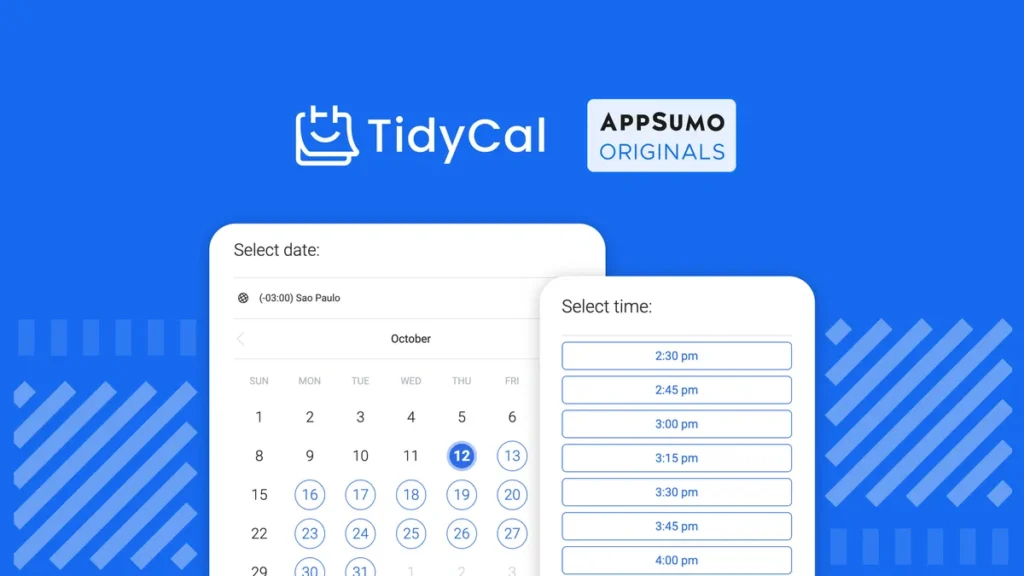
You do not need to download anything. It works in your browser. You get a personal link (like tidycal.com/yourname). You send this link to anyone who wants to meet. They pick a slot. The meeting appears on your calendar instantly.
No more back-and-forth emails. No more “Does Tuesday at 2 work?” No more double-booking yourself.
Key Features Breakdown
You might think a $29 tool lacks features. You might expect a “lite” version.
I was surprised. TidyCal packs a punch. It handles the needs of 95% of service businesses.

Unlimited Booking Types
Most free plans on other apps limit you. They let you create one meeting type. If you want a “15-minute Discovery Call” AND a “60-minute Strategy Session,” you have to upgrade.
TidyCal gives you unlimited booking types. You can create ten different meeting options. You can create fifty. It does not matter. You have total freedom to structure your offers.
10 Integrations (Video & Calendar)
A scheduling tool is useless if it does not talk to your other apps. TidyCal integrates with the big players.
Video Conferencing:
- Zoom: It automatically creates a unique Zoom link for every meeting.
- Google Meet: Perfect for Google Workspace users.
- Microsoft Teams: Great for corporate clients.
Calendars:
- Google Calendar: Two-way sync. (It checks your calendar for conflicts and adds new meetings to it).
- Outlook / Office 365: Fully supported.
- Apple Calendar: Yes, it even works with iCloud.
Paid Bookings (The Money Maker)
Consultants love this feature. You can charge people to book time with you.
You connect your Stripe or PayPal account. You set a price for the meeting (e.g., $100). The client cannot book the slot until they pay.
Money lands in your bank account. The meeting lands on your calendar. You do nothing.
Other tools charge extra for this. TidyCal includes it in the lifetime deal. Even better, they take 0% commission. You only pay the standard Stripe processing fees.
Date Polls
Finding time for a group meeting is a nightmare. You send an email to five people. Three people say yes. Two people say no. You start over.
TidyCal added “Date Polls” to fix this.
- You pick three or four potential times.
- You send a link to the group.
- Everyone votes on the times that work for them.
- You pick the winner and book it.
It works just like Doodle, but it is built right into your dashboard.
The “Calendly Killer” Comparison
Let us look at the numbers. This is the main reason people switch.
Calendly (Standard Plan)
- Cost: $10 to $12 per month (per user).
- Yearly Cost: ~$120 to $144.
- 5-Year Cost: ~$720.
TidyCal (AppSumo Lifetime Deal)
- Cost: $29 (One-time payment).
- Yearly Cost: $0.
- 5-Year Cost: $29.
The Savings: You save nearly $700 over five years.
You could buy a new laptop with that money. You could pay for a year of web hosting. You could take a weekend trip.
But is Calendly better? Calendly has some advanced features for big teams. It has complex routing forms. It connects to Salesforce. If you run a Fortune 500 sales team, stick with Calendly.
If you are a freelancer, a coach, or a small agency, you do not need Salesforce routing. You just need a booking link. TidyCal does the job for 1/20th of the price.
Hands-On Experience: Setting It Up
I want to show you exactly how easy this is. I timed myself setting up a new account. It took less than five minutes.
Step 1: The Onboarding
You buy the code on AppSumo. You redeem it. You land on the TidyCal dashboard. The interface is clean. Plenty of white space. No confusing menus.
Step 2: Connecting Your Calendar
The first prompt asks you to connect a calendar. I chose Google Calendar. A popup appeared. I logged into my Google account. I clicked “Allow.” Done. TidyCal immediately scanned my calendar. It saw I had a dentist appointment on Thursday. It blocked that time off automatically.
Step 3: Setting Availability
You go to the “Availability” tab. You see a weekly grid. You click and drag to set your hours.
- Mondays: 9 AM to 5 PM.
- Tuesdays: 10 AM to 4 PM.
- Fridays: Off.
You can create “Date Overrides” too. If you want to take a specific Wednesday off for a holiday, you just block that specific date.
Step 4: Creating a Booking Type
I created a “30-Minute Intro Call.”
- Title: Intro Call.
- Duration: 30 Minutes.
- Location: Zoom (I selected this from the dropdown).
- Description: “Let’s discuss your project.”
I hit save. The system generated a link. I copied the link and opened it in a new tab. It looked professional. My profile picture was there. The available slots were clear.
Pros & Cons (The Honest Truth)
No software is perfect. TidyCal is amazing for the price, but it has limitations. You need to know them.
Pros (Why I Love It)
- The Price: You cannot beat $29 for lifetime access. It is the best ROI in the software world.
- Simplicity: My grandmother could use this. It does not overwhelm you with settings.
- Speed: The booking pages load fast. This matters for mobile users.
- Embed Options: You can embed the calendar directly on your website. It works with WordPress, Wix, Squarespace, and Elementor.
- Directory Page: You get a main profile page that lists all your booking types. You can put this link in your email signature.
Cons (Where It Lags)
- Reporting: Calendly gives you analytics. It tells you how many people clicked but didn’t book. TidyCal does not have deep analytics yet.
- Team Features: The standard plan is for one user. If you have a team of 10 people, managing them all in TidyCal is a bit clunky compared to enterprise tools.
- Branding: You can change colors, but you cannot remove the small “Powered by TidyCal” badge unless you buy the Plus plan (which is part of the LTD usually, but check the current terms).
Who Is TidyCal For?
This tool fits specific people perfectly.
Freelancers You sell services. You need to talk to clients. You hate admin work. TidyCal automates the scheduling. You look professional without paying a monthly fee.
Coaches and Consultants You sell your time. The “Paid Bookings” feature is your best friend. You can sell a “1-Hour Strategy Session” for $200. You send the link. The client pays. You show up on Zoom. It simplifies your billing process completely.
Sales Representatives You need to book demos. You send cold emails. Adding a TidyCal link increases your conversion rate. It is easier for a lead to click a link than to reply to an email three times.
Podcasters You interview guests. Coordinating times with guests in different time zones is hard. TidyCal handles the time zone conversion automatically. Your guest in London sees the time in GMT. You see it in EST. No more math mistakes.
Integrating TidyCal with Your Website
You want clients to book you without leaving your site. TidyCal makes this easy.
The Embed Code When you create a meeting type, you see an “Embed” button. You click it. You get a snippet of code.
How to Add to WordPress:
- Go to your page (e.g., “Contact Us”).
- Add a “HTML” block.
- Paste the TidyCal code.
- Update the page.
Now your calendar appears right on the page. Clients can scroll through dates and pick a time. It looks seamless. It keeps people on your website longer.
The Floating Widget You can also add a floating button. It sits in the corner of your screen. It says “Book a Call.” When a user clicks it, the calendar pops up. This is great for high-conversion landing pages.
Advanced Tips for Power Users
You bought the deal. Now you want to squeeze every drop of value out of it.
1. Buffer Times Do not book meetings back-to-back. You need a break. TidyCal lets you add “Buffer Time.” Set a 15-minute buffer after every meeting. If a meeting ends at 2:00 PM, the next slot will not show up until 2:15 PM. This gives you time to grab water or write notes.
2. Minimum Notice You do not want to wake up and see a surprise meeting at 9 AM. Set a “Minimum Meeting Notice” of 24 hours. This means clients cannot book a slot for today. They must book for tomorrow. This keeps you in control of your schedule.
3. Custom Questions You can ask questions on the booking form. Do not just ask for a name and email. Ask:
- “What is your website URL?”
- “What is your biggest struggle right now?”
- “Have you worked with a coach before?” The answers help you prepare. You enter the meeting knowing exactly what the client needs.
The Verdict: Is It Worth $29?
I have tested dozens of software deals. Some are junk. Some are okay.
TidyCal is a gem.
It does one thing, and it does it well. It solves a real pain point. It saves you real money.
If you run a massive corporation with 500 sales reps, keep using Calendly. The enterprise features are worth the cost for you.
For everyone else—freelancers, solopreneurs, creators, small agencies—TidyCal is the smarter choice.
Why pay rent when you can buy the house?
The AppSumo lifetime deal is a rare opportunity. Usually, software requires a subscription. Getting lifetime access for the price of a few coffees is a steal.
My advice: Buy it. Set it up. Cancel your Calendly subscription. Take your partner out for a nice dinner with the money you save this year.
FAQs regarding TidyCal
Does TidyCal sync with Google Calendar?
Yes. It uses a 2-way sync. This means it reads your Google Calendar to find busy spots. It also writes new TidyCal meetings onto your Google Calendar. You will never be double-booked.
Can I accept payments with TidyCal?
Yes. You can integrate Stripe or PayPal. You can require payment before the booking is confirmed. TidyCal does not charge a fee for this. You only pay the standard processing fee to Stripe or PayPal.
Is the AppSumo deal really lifetime?
Yes. “Lifetime” in the software world means the lifetime of the product. As long as TidyCal exists, your account works. You pay once and never pay again.
Does it work with Outlook?
Yes. It supports Outlook and Office 365 calendars. It connects just as easily as Google Calendar.
Can I use my own domain?
TidyCal runs on their domain (tidycal.com). However, you can redirect a custom domain (like book.yourname.com) to your TidyCal link. If you want full “CNAME” white-labeling, you might need to check if they added that feature recently, but generally, the standard deal uses the TidyCal URL.
Does it handle time zones?
Yes. This is automatic. If you are in New York and your client is in London, TidyCal shows the slots in their local time. You do not need to calculate the difference.
What happens if I refund the deal?
AppSumo offers a 60-day money-back guarantee. If you buy TidyCal and decide you hate it, you can get a full refund within 60 days. There is zero risk to try it.
Can I create group bookings?
Yes. You can set a meeting to allow multiple people. For example, you can host a “Webinar” slot that allows 10 people to book at the same time.
Does it send reminders?
Yes. TidyCal sends confirmation emails immediately. It also sends reminder emails before the meeting. This reduces “no-shows” significantly.
Is it mobile-friendly?
Yes. The booking page looks great on phones. Your clients can book you while they are walking down the street. The dashboard is also responsive, so you can check your schedule from your phone.
How does it compare to Acuity Scheduling?
Acuity is more powerful for complex businesses like hair salons or dentists who need inventory management or add-ons. TidyCal is better for anyone booking time-based meetings (Zoom calls, consultations). TidyCal is much cheaper.
Can I remove the TidyCal branding?
The lifetime deal usually includes the “Pro” features which allow you to hide most branding, but a small link might remain at the bottom depending on the current version. It is very subtle and professional.
Is there a limit on bookings?
No. You can accept unlimited bookings per month. You are not penalized for being popular.
What video apps does it support?
It supports Zoom, Google Meet, and Microsoft Teams. It can also generate a static link if you use a different tool like Skype or Whereby.
Can I customize the email content?
Yes. You can write your own confirmation messages. You can add instructions like “Please prepare your financial statements before our call.”
Do I need a website to use TidyCal?
No. You get a hosted link. You can send this link via email, DM, or text message. You do not need a website at all.
Is support good?
Since it is an AppSumo Original, the support is handled by the AppSumo team. They are known for being responsive and helpful.
Ready to simplify your schedule?
Stop wasting time on back-and-forth emails. Stop wasting money on monthly subscriptions.
Click here to grab the TidyCal Lifetime Deal on AppSumo today.